🎉 Early Bird Special: Get 50% OFF with code sahl50 — Unlimited Tickets & Agents for the first 50 stores!
Stop Losing Money on
COD Returns & Abandoned Carts
Built for WooCommerce & EasyOrders. Automate 1-click WhatsApp COD confirmation, handle photo-based returns (RMA), and answer customer chats with an AI copilot — 100% cloud-powered in 60 seconds.


✓ Click WhatsApp COD Confirmation
✓ Automated Cart & Checkout Recovery

✓ Smart Live CRM & AI Reply Copilot

✓ Zero Server Overhead (Cloud Powered)
COURIER & CASH DELIVERY SHIELD
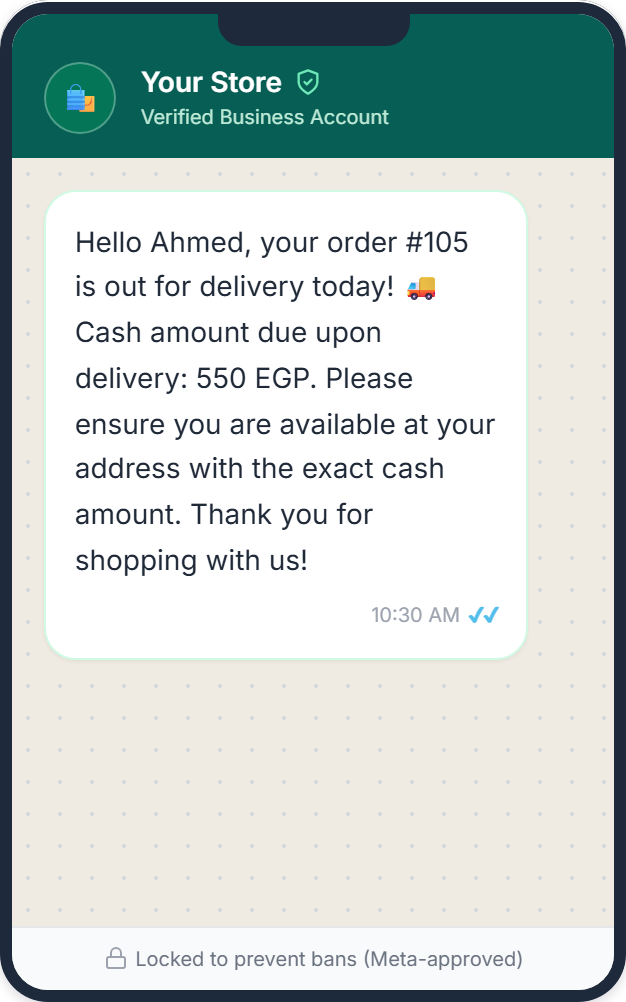
Eliminate Failed Deliveries with Smart Cash-Preparation Alerts
The #1 reason couriers return COD orders isn't fake customers — it's "customer wasn't home" or "didn't prepare cash for the courier". SahlDesk triggers an official Meta Utility WhatsApp message the morning the package is out for delivery, clearly stating the exact cash amount due in local currency.
🚚 Boost First-Attempt Delivery Rates: Increases successful delivery rates by 15%–20% by eliminating courier call surprises.
⏱️ Native WooCommerce Triggers: Fires automatically when orders transition to Out for Delivery, Shipped, or your custom carrier status.
🛡️ Meta Official Utility Template: Approved under Meta's lowest Utility rate card, keeping messaging costs virtually negligible.
REVENUE RECOVERY ENGINE
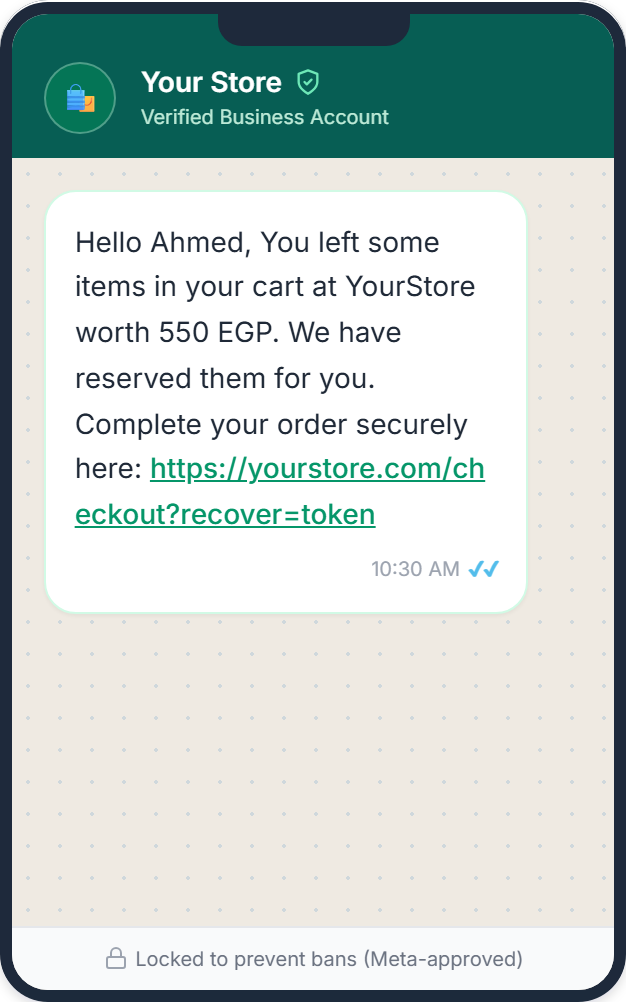
Recover 20% to 30% of Lost Checkouts on Complete Autopilot
Most buyers drop off right at the checkout field. SahlDesk's dual-capture technology detects phone numbers and emails the moment a customer enters them. If they leave, an automated, hyper-targeted WhatsApp reminder fires with a 1-click restore link that instantly re-opens their cart with their coupon pre-applied.
⚡ Real-Time Dual Capture: Instantly captures registered customers on "Add to Cart" and guest shoppers on checkout field blur.
🛒 1-Click Auto-Restore Checkout: Buyers tap one button in WhatsApp to reopen their exact items, address, and discount coupon in one second.
✉️ Free Email Fallback: Dispatches automated recovery emails alongside or as a backup to WhatsApp with zero extra cost.
E-Commerce CRM View for Support Agents
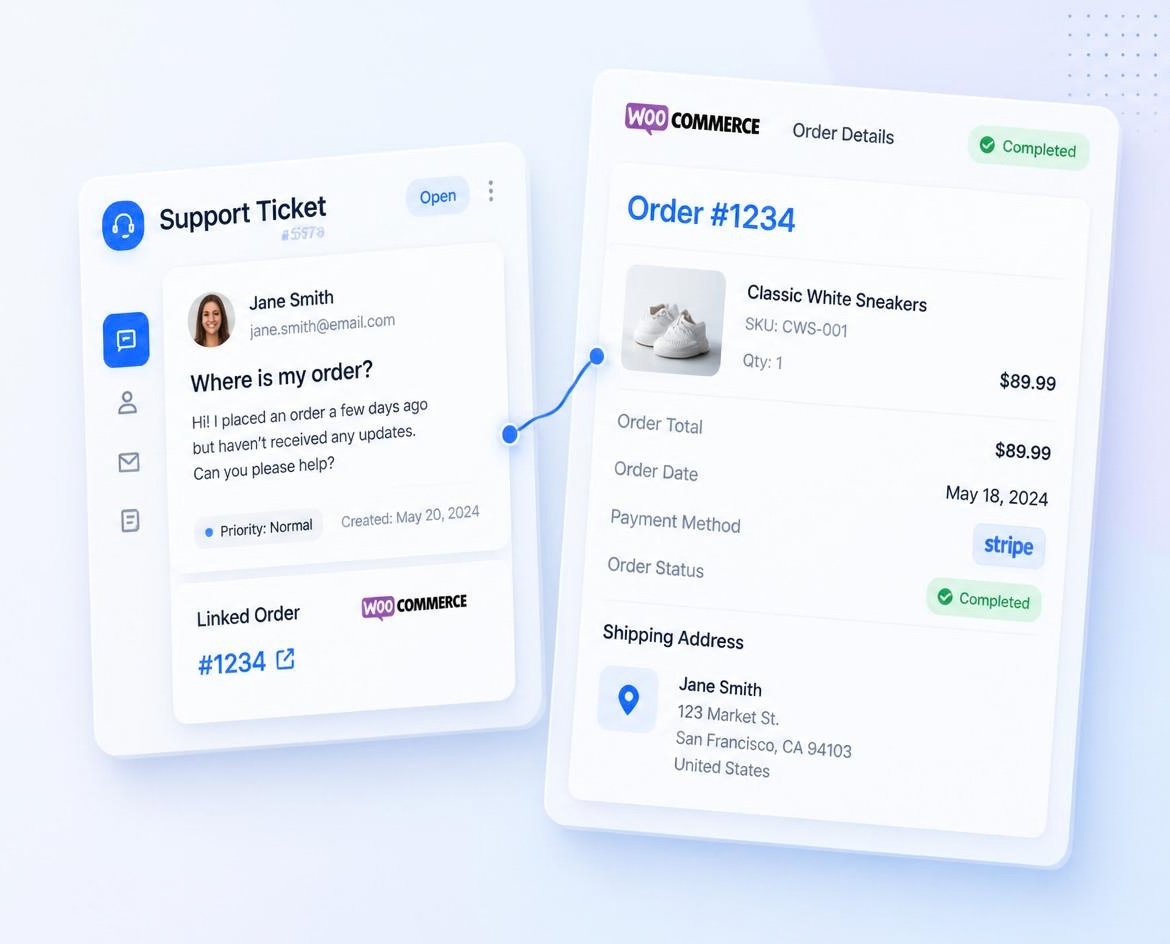
Customer Order History Beside Every Ticket
Never ask a customer for their order number again. SahlDesk displays lifetime spent, past orders, and current shipping status right beside the conversation so your team can resolve tickets 3x faster.
Interactive Floating Guest Support Widget
Convert Visitors into Customers with the Floating Support Widget
Enable guest shoppers and storefront visitors to submit tickets and track WooCommerce orders seamlessly without mandatory account login.
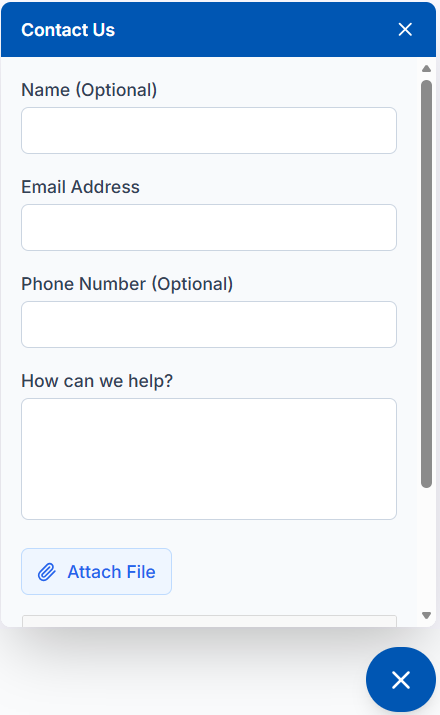
Order Tracking & Return Automation
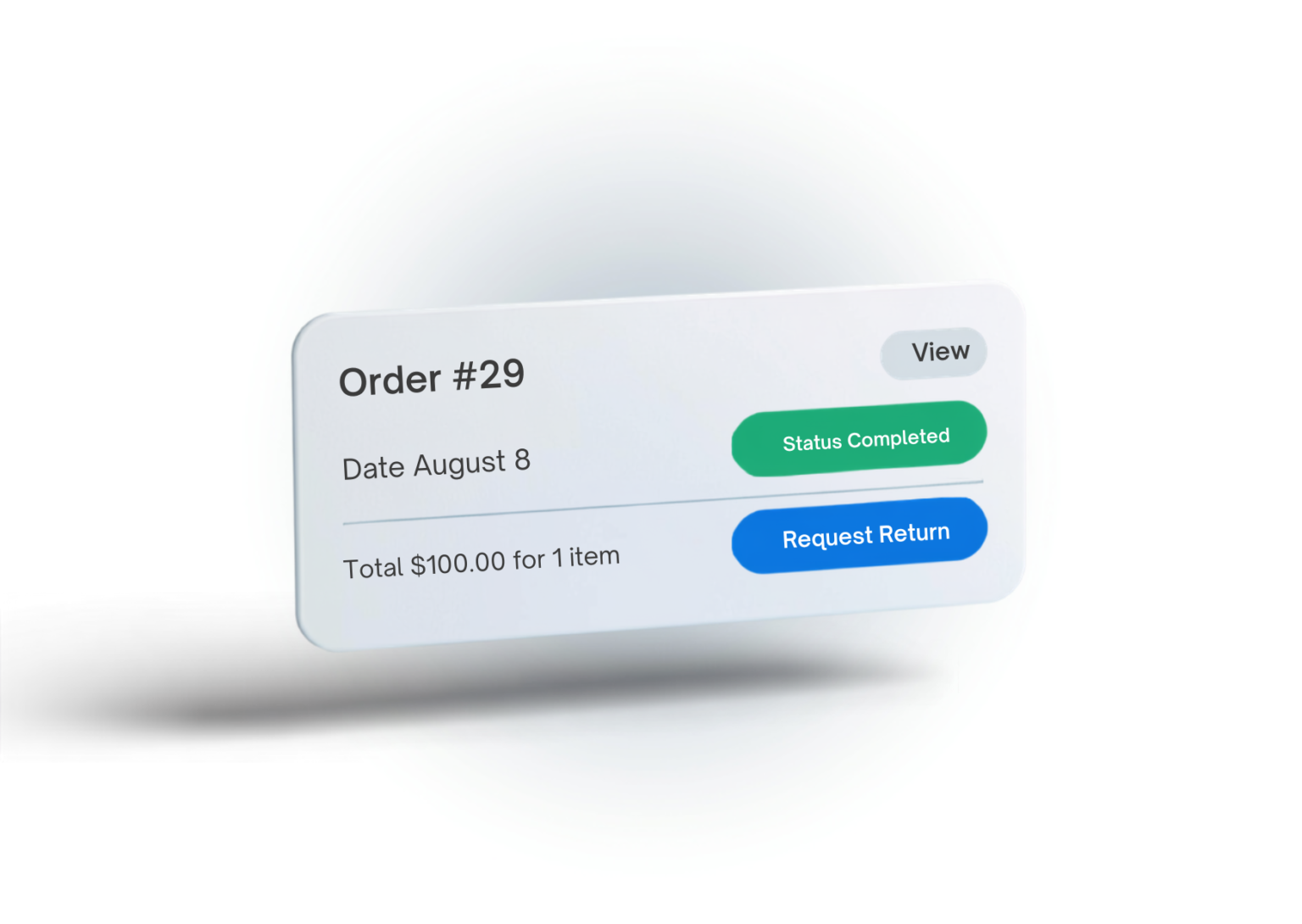
Automate Return Requests
Over 40% of customer support messages are simple status inquiries and returns. SahlDesk syncs WooCommerce order metadata instantly, letting customers check order status and request returns without cluttering your inbox.
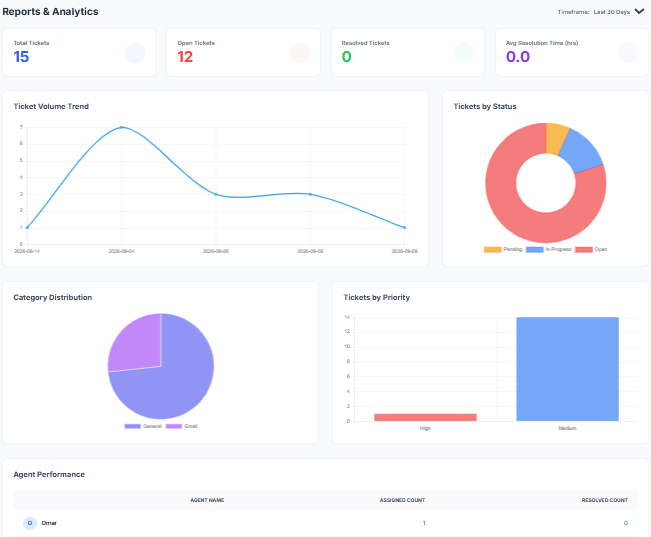
Agent Analytics & Workload Balancing
Balance Your Team's Workload & Track Resolution Times
See real-time breakdowns of Open, Pending, and Resolved tickets. Track agent response times, identify bottlenecks, and distribute tickets fairly across your support team.
One-Click Canned Responses

Reply 5x Faster with Canned Responses.
Stop typing the same answers every day. Save pre-written response templates for shipping timelines, sizing guides, and return policies, and insert them with a single click.
FREQUENTLY ASKED QUESTIONS
How does SahlDesk reduce Cash on Delivery (COD) Return rates (RTO) in WooCommerce and EasyOrders?
When a shopper places a Cash on Delivery (COD) order on WooCommerce, SahlDesk automatically sets the order on hold and dispatches an official interactive WhatsApp message with [Confirm Order] and [Cancel Order] buttons. Once the buyer taps Confirm, the WooCommerce order status transitions to Processing automatically, blocking fake orders and saving courier return penalties.
Does it support native Arabic and Right-to-Left (RTL) layouts?
Yes! SahlDesk was engineered from the ground up for international and MENA stores, offering complete Arabic and English localization for both customer widgets and agent dashboards.
Do I need a Meta Developer Account or WhatsApp Business API setup to start?
No. SahlDesk works out of the box in 60 seconds using our built-in Managed WhatsApp Gateway, giving you 10 free WhatsApp messages and 20 free AI Copilot drafts immediately upon activation. When you are ready to use your own brand number, SahlDesk Pro lets you connect your own custom Meta WhatsApp Business Account (BYO WABA).
How does SahlDesk handle return and exchange requests (Visual RMA)?
SahlDesk automatically adds a seamless 'Request Return' button to completed orders in the WooCommerce My Account page, creating an organized return ticket with order details pre-attached, while EasyOrders gets a direct shareable photo-upload RMA link.
How does Abandoned Cart Recovery work in Free vs. Pro?
Both Free and Pro capture checkout intent as soon as a customer enters their contact info at checkout. The Free tier sends automated cart recovery emails with 1-click restore links, while SahlDesk Pro sends automated WhatsApp recovery messages with 1-click checkout restoration and auto-applied discount coupons , (Currently available for WooCommerce stores).
Will SahlDesk slow down my WooCommerce store?
No. SahlDesk operates as a lightweight client plugin. All heavy ticket processing, storage, and search calculations happen on our secure cloud servers, ensuring zero impact on your site speed or checkout performance.
How do I connect my EasyOrders store to SahlDesk?
Register at (https://app.sahldesk.com/register?platform=easyorders) and click "Connect EasyOrders" in Store Settings for 1-click authorization and automatic webhook setup—no coding required. You can also paste your widget snippet into EasyOrders Header Code to enable the floating support widget. Plans start at 250 EGP/month, with your first 10 orders free.
Ready to Transform Your Store's Customer Support?
Join growing WooCommerce merchants using SahlDesk to deliver faster, smarter customer support.
Email: help@sahldesk.com
Phone: 01010009460